





The Complete Guide to Manufacturing ERP Implementation
Kurt AdamsPublished: March 19, 2026 | Updated: May 2, 202618 minutes

Manufacturing ERP implementation has become one of the most significant technology investments a production facility can make. Manufacturing operations demand precision, coordination, and visibility across every department - from procurement and production to inventory and shipping. When these functions operate in silos, inefficiencies multiply, costs rise, and competitive advantage erodes. This reality drives thousands of manufacturers to evaluate the best ERP for manufacturing each year, seeking systems that can unify their operations under a single platform.
The stakes are high. A well-executed ERP implementation in manufacturing industry settings can transform operations, reduce waste, and improve decision-making at every level. Conversely, a poorly planned implementation can drain budgets, frustrate employees, and fail to deliver promised benefits. For process manufacturers dealing with formulations, batch tracking, and strict regulatory requirements, specialized process manufacturing ERP software becomes essential rather than optional.
This guide compares different ERP approaches, examines what distinguishes top systems from mediocre ones, and provides practical insights for implementation success. Whether you manage a discrete manufacturing operation, a process manufacturing facility, or a hybrid environment, understanding your options is the first step toward making an informed decision.
What Manufacturing ERP Implementation Actually Involves
ERP implementation goes far beyond installing software. It requires rethinking how your organization handles information, manages workflows, and makes decisions. Manufacturing ERP systems connect previously disconnected functions - purchasing, production scheduling, quality control, inventory management, and financial reporting - into a unified data environment.
The implementation process typically unfolds across several phases. Initial discovery involves documenting current processes, identifying pain points, and defining objectives. Configuration and customization follow, adapting the software to match your specific workflows. Data migration transfers historical information from legacy systems. Training prepares your team to use the new system effectively. Finally, go-live and optimization mark the transition to daily operations.
Each phase presents unique challenges. Discovery often reveals process inconsistencies that have developed over years. Configuration decisions made early can limit flexibility later. Data migration uncovers quality issues in legacy information. Training must reach employees with varying technical comfort levels. Go-live brings unexpected situations that require quick problem-solving.
Discrete vs. Process Manufacturing ERP Requirements
Manufacturing ERP needs differ significantly based on production methodology. Discrete manufacturers - those producing distinct items like machinery, electronics, or assembled products - require strong bill of materials (BOM) management, work order tracking, and assembly sequence control.
Process manufacturers face different challenges. Industries like food and beverage, chemicals, and pharmaceutical manufacturing operations deal with formulations rather than assemblies. Ingredients combine through mixing, heating, or chemical reactions. Batch tracking becomes critical for regulatory compliance and recall management. Yield variability affects production planning. Shelf life constraints influence inventory decisions.
Many manufacturers operate in hybrid environments, combining discrete and process elements. A food company might use process manufacturing for product creation but discrete methods for packaging operations. ERP systems must accommodate these complexities without forcing artificial categorizations.
Take Control of Your Shop Floor
From production scheduling to quality control, ASCTrac MES gives manufacturers the tools to optimize every step.
Request a Demo
Evaluating the Best ERP for Manufacturing: Key Comparison Factors
Selecting the right ERP system requires evaluating multiple dimensions. Price alone tells an incomplete story - total cost of ownership includes implementation services, customization, training, ongoing support, and potential productivity disruption during transition. The cheapest option often proves expensive when hidden costs emerge.
Functionality alignment matters more than feature count. A system with hundreds of modules provides no value if those modules don’t address your specific challenges. Focus evaluation on capabilities that directly support your critical processes.
Core Feature Comparison
When comparing ERP options, examine these functional areas:
-
Production planning and scheduling: How does the system handle capacity planning, work order management, and schedule optimization? Can it accommodate your production methodology?
-
Inventory management: Does it support lot tracking, serial number control, and multiple warehouse locations? How does it handle inventory valuation methods?
-
Quality management: What inspection and testing workflows does it provide? How does it manage non-conformance and corrective actions?
-
Supply chain coordination: How does it handle supplier management, purchase order processing, and receiving operations?
-
Financial integration: Does it include native accounting functions or require integration with external systems? How are manufacturing costs captured and allocated?
Beyond core functions, evaluate reporting and analytics capabilities. Real-time visibility into operations enables faster, better-informed decisions. Look for configurable dashboards, standard report libraries, and tools for creating custom analyses.

Deployment Model Considerations
ERP deployment options have expanded significantly. Each model offers distinct advantages and limitations:
On-premises deployment places software and data on your own servers. This approach provides maximum control over data, customization, and security configurations. However, it requires substantial upfront investment in hardware and IT infrastructure. Ongoing maintenance, updates, and backups become your responsibility.
Cloud deployment hosts the system on vendor-managed infrastructure. Lower initial costs, automatic updates, and reduced IT burden make this attractive for many organizations. However, you depend on vendor reliability and internet connectivity. Data residency and security questions require careful evaluation.
Hybrid approaches combine elements of both models. Critical or sensitive functions might remain on-premises while other modules operate in the cloud. This flexibility comes with integration complexity.
Consider your IT capabilities, security requirements, budget structure, and growth plans when evaluating deployment options. Neither approach is universally superior - the right choice depends on your specific situation.
Scalability and Growth Accommodation
ERP systems represent long-term investments. The platform you choose should accommodate growth without requiring replacement. Evaluate how systems handle:
-
Increased transaction volumes as business expands
-
Additional users across departments
-
New facilities or warehouse locations
-
Acquisitions and mergers requiring system consolidation
-
Expansion into new product lines or markets
Ask vendors about their largest implementations and how those clients have scaled over time. Reference conversations with similar-sized manufacturers provide valuable perspective on real-world scalability.
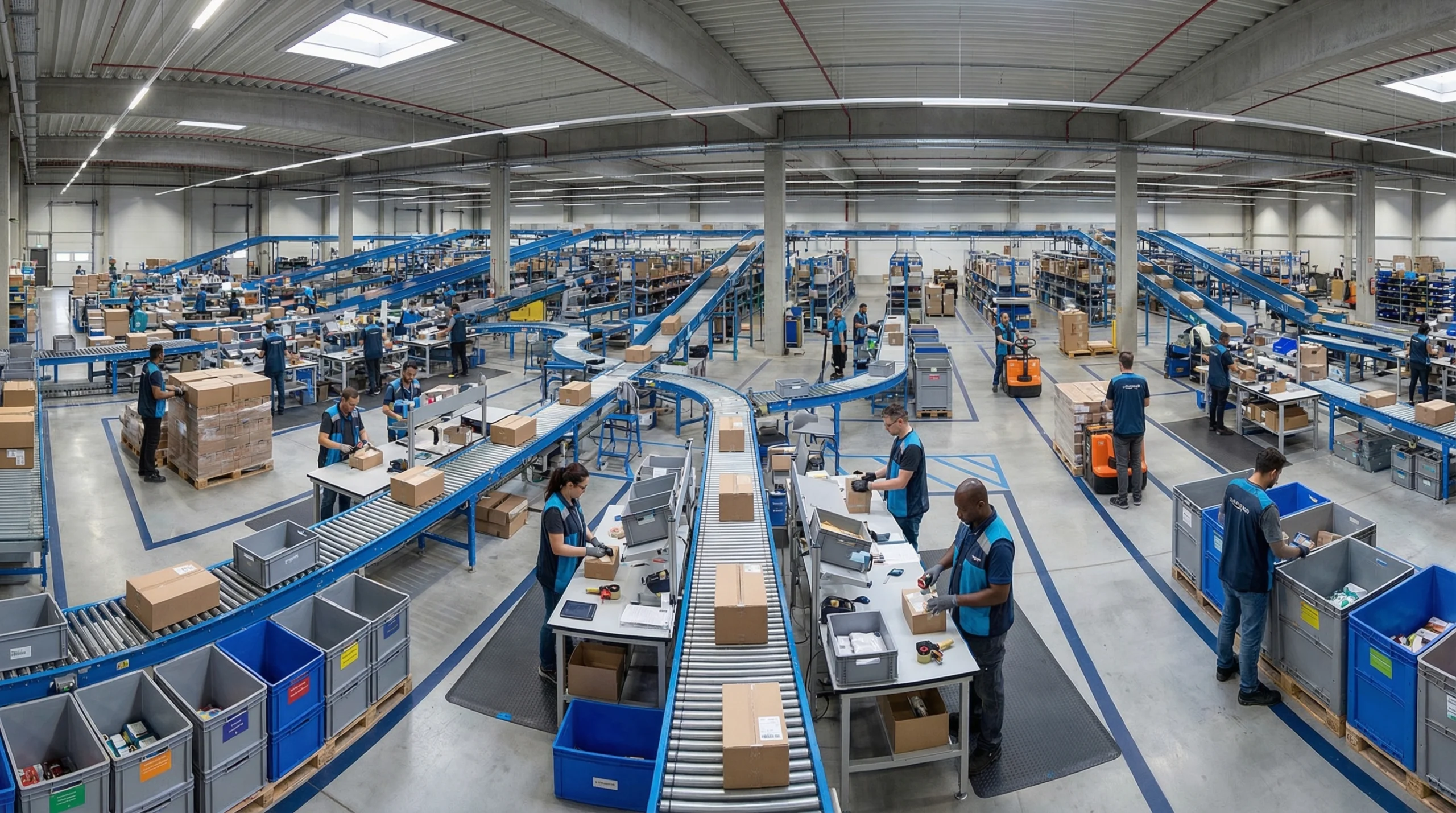
Understanding Process Manufacturing ERP Software Requirements
Process manufacturing presents unique challenges that general-purpose ERP systems often address inadequately. Specialized process manufacturing ERP software incorporates functionality designed for industries where products are made through formulation, blending, mixing, or chemical transformation.
Consider a food and beverage manufacturing operation producing sauces. Raw ingredients arrive with varying quality characteristics. Recipes must accommodate these variations while maintaining consistent finished product quality. Batch tracking must trace every ingredient through processing to enable targeted recalls if problems emerge. Shelf life calculations affect inventory management and production scheduling. Regulatory compliance requires detailed documentation of processes, ingredients, and quality testing.
Critical Capabilities for Process Manufacturers
Process manufacturing ERP software should provide:
Formula and recipe management: The system must handle complex formulations with multiple versions, substitutions, and scaling rules. It should accommodate by-products and co-products that result from processing. Potency and concentration variations in raw materials should translate into formula adjustments.
Batch control and tracking: Complete lot genealogy traces materials from receipt through processing to finished goods distribution. This capability proves essential for quality investigations and recall execution. The system should record actual processing parameters alongside planned specifications.
Regulatory compliance support: Different industries face different regulatory requirements. FDA compliance for food and pharmaceuticals differs from EPA requirements for chemical manufacturers. The ERP should provide tools for maintaining required documentation and generating compliance reports.
Quality management integration: Quality control in process manufacturing often requires in-process sampling and testing, not just finished goods inspection. The system should trigger appropriate quality checkpoints and record results within the production record.
Comparing Process vs. Discrete ERP Approaches
The following comparison highlights key differences between process and discrete manufacturing ERP requirements:
-
Product definition: Discrete ERP uses bills of materials showing component relationships. Process ERP uses formulas showing ingredient proportions and processing parameters.
-
Unit of measure handling: Discrete manufacturing typically tracks in pieces or units. Process manufacturing requires conversions between weight, volume, and concentration measures.
-
Production tracking: Discrete tracks completion of assembly steps. Process tracks batch parameters, processing times, temperatures, and other variables.
-
Inventory management: Discrete focuses on part numbers and serial tracking. Process emphasizes lot tracking, expiration dates, and potency variations.
-
Costing methodology: Discrete uses standard or actual costing per unit. Process must allocate costs across batches while accounting for yield variations and by-products.
Organizations operating in both environments need systems capable of handling both methodologies. Some manufacturers find that separate specialized systems integrated at key points serve better than a single compromise solution.
ERP Implementation in Manufacturing Industry: Comparing Approaches
How you implement ERP affects outcomes as much as which system you select. Different implementation approaches offer varying risk profiles, timeline implications, and resource requirements. Understanding these options helps you choose an approach aligned with your organization’s capabilities and constraints.
Big Bang vs. Phased Implementation
Big bang implementation transitions the entire organization to the new system simultaneously. All modules go live at once, replacing legacy systems completely. This approach offers advantages: single transition event, no need to maintain integrations between old and new systems, immediate access to cross-functional benefits.
However, big bang carries significant risk. Problems affect the entire operation simultaneously. Staff must learn all new processes at once. The transition weekend becomes a critical event with high pressure and limited fallback options.
Phased implementation rolls out the ERP incrementally - by module, by facility, or by business function. Early phases provide learning opportunities that improve later phases. Problems affect limited scope. Staff can focus on learning specific areas before moving to others.
Phased approaches extend overall timelines and require maintaining temporary integrations between old and new systems. Some benefits dependent on cross-functional integration remain unrealized until later phases complete.
Addressing Common Implementation Challenges
Certain challenges appear frequently in ERP implementation in manufacturing industry projects. Anticipating these challenges enables proactive mitigation:
Resistance to change: Employees comfortable with existing processes may resist new systems. This resistance often masks legitimate concerns about job security, capability requirements, or workflow impacts. Address resistance through early involvement in design decisions, transparent communication about project goals, and comprehensive training that builds confidence.
Data quality issues: Legacy system data often contains inconsistencies, duplicates, and errors that become apparent during migration. Data cleansing efforts frequently expand beyond initial estimates. Begin data assessment early and establish clear ownership for data quality decisions.
Scope expansion: Projects tend to grow as stakeholders identify additional capabilities they want included. While some scope additions deliver genuine value, uncontrolled expansion delays timelines and increases costs. Establish clear scope management processes that evaluate additions against project objectives and resource constraints.
Inadequate testing: Pressure to meet go-live dates sometimes compresses testing periods. Insufficient testing allows problems to reach production, where they disrupt operations and damage user confidence. Protect testing time by building realistic buffers into project schedules.
Integration complexity: Manufacturing environments typically include specialized systems for warehouse management and inventory control, manufacturing execution and production tracking, quality testing, and other functions. Integrating these with new ERP creates technical challenges and potential failure points.

Proven Solutions for Implementation Success
Organizations that achieve successful implementations typically share certain practices:
Executive sponsorship: Active, visible support from senior leadership signals organizational commitment. Sponsors help resolve cross-functional conflicts, allocate necessary resources, and maintain momentum through challenging periods.
Dedicated project resources: Part-time involvement from people maintaining other full-time responsibilities rarely works. Successful implementations assign key team members full-time to the project, backfilling their normal responsibilities.
Process documentation before configuration: Understanding current processes - including informal workarounds and exceptions - prevents configuration decisions based on incomplete information. Document what actually happens, not just what official procedures describe.
User involvement throughout: People who will use the system daily offer practical insights that project teams might miss. Their involvement also builds ownership and reduces resistance.
Comprehensive training: Training should cover not just system mechanics but also changed workflows and new responsibilities. Different learning styles require varied approaches - classroom sessions, hands-on practice, job aids, and ongoing support.
Post-go-live support: Problems and questions emerge after go-live regardless of preparation quality. Plan for elevated support during initial weeks, with clear escalation paths for critical issues.
Future Trends Shaping Manufacturing ERP Technology
ERP technology continues evolving, incorporating capabilities that were impractical or impossible a few years ago. Understanding emerging trends helps evaluate whether current system options will remain relevant as technology advances.
Artificial Intelligence and Machine Learning Applications
AI and machine learning are beginning to appear in ERP systems, though implementations vary widely in sophistication and practical value. Current applications include:
Demand forecasting: Machine learning algorithms analyze historical patterns, seasonal factors, and external variables to improve forecast accuracy. Better forecasts enable more efficient production planning and inventory management.
Anomaly detection: AI can identify unusual patterns in production data, quality measurements, or transaction flows that might indicate problems. Early detection enables faster response.
Predictive maintenance: Analysis of equipment performance data can predict failures before they occur, enabling scheduled maintenance that avoids unplanned downtime.
Process optimization: Machine learning can identify parameter combinations that optimize yield, quality, or efficiency, discovering relationships that might escape human analysis.
These capabilities remain in relatively early stages for most manufacturers. Evaluate vendor claims carefully, distinguishing between demonstrated capabilities and aspirational roadmaps.
Internet of Things Integration
Connected devices throughout manufacturing operations generate data that can feed into ERP systems. Temperature sensors, flow meters, equipment monitors, and tracking devices provide real-time visibility that manual data collection cannot match.
IoT integration enables:
-
Automatic capture of production parameters without manual entry
-
Real-time visibility into equipment status and utilization
-
Precise tracking of materials through processing
-
Environmental monitoring for quality-critical operations
-
Energy consumption tracking for cost management and sustainability reporting
Integration complexity and data volume management present challenges. Not all ERP systems handle IoT data equally well. Consider both current capabilities and architectural flexibility for future expansion.
Cloud Evolution and Hybrid Architectures
Cloud ERP continues maturing, with improvements in reliability, security, and functionality. Major vendors increasingly emphasize cloud deployment, sometimes limiting new feature development for on-premises versions.
However, manufacturing environments often include systems that don’t easily migrate to cloud architectures. Equipment interfaces, warehouse control and automation systems, and specialized applications may require on-premises components. Hybrid architectures that combine cloud ERP with on-premises elements address these realities.
Evaluate how potential ERP systems handle hybrid scenarios. Clear integration patterns and reliable connectivity between cloud and on-premises components become essential in these environments.
Mobile and Remote Access Expansion
Mobile access to ERP functions continues expanding beyond simple approval workflows. Modern implementations support:
-
Production floor data capture on tablets and handheld devices
-
Quality inspection recording at point of activity
-
Inventory counting and movement confirmation
-
Maintenance work order management
-
Management dashboards accessible from anywhere
Mobile capabilities reduce reliance on fixed workstations and enable data capture closer to actual activities. Evaluate both current mobile capabilities and vendor roadmaps for mobile development.
Real-World Implementation Scenarios
Examining how different organizations approach ERP implementation illustrates the variety of challenges and solutions in real manufacturing environments.
Scenario: Mid-Sized Discrete Manufacturer
Consider a mid-sized manufacturer producing industrial equipment. The company operates from two facilities with around 300 employees total. Legacy systems include a 15-year-old ERP that lacks modern functionality, spreadsheet-based production scheduling, and a separate quality management system.
Key challenges included:
-
Disconnected systems requiring manual data transfer and reconciliation
-
Limited visibility into production status and costs
-
Difficulty coordinating operations across facilities
-
Aging workforce with significant knowledge held in individuals rather than systems
The implementation approach involved selecting a modern ERP with strong manufacturing capabilities, implementing in two phases (core functions first, followed by advanced planning and quality), and dedicating a core team of six people for eighteen months.
Critical success factors included early involvement of shop floor supervisors in process design, extensive parallel operation before cutover, and a structured knowledge capture effort that documented tribal knowledge into system procedures.
Scenario: Process Manufacturer with Regulatory Requirements
Imagine a pharmaceutical ingredients manufacturer with stringent FDA compliance requirements. Batch traceability, validated processes, and detailed documentation govern every aspect of operations. Legacy systems included a validated ERP with limited flexibility and multiple validated ancillary systems.
Implementation challenges included:
-
Regulatory requirements for system validation adding significant effort
-
Risk aversion due to compliance implications of system problems
-
Integration requirements with validated laboratory systems
-
Documentation requirements for every configuration decision
The phased approach prioritized modules with highest compliance impact, completed validation protocols before each phase go-live, and maintained parallel validated systems until new system validation completed. A dedicated validation team worked alongside the implementation team throughout.
Key lessons included the importance of early regulatory strategy definition, the value of vendor experience with similar validated implementations, and the need for adequate timeline allowances for validation activities.
Scenario: Growing Distributor Adding Manufacturing
Consider a wholesale distribution company adding light manufacturing capabilities. Existing distribution ERP handles purchasing, inventory, and sales effectively but lacks production functionality.
The company faced a choice: expand the current system with manufacturing modules, replace it with a manufacturing-focused system that also handles distribution, or implement a separate manufacturing system integrated with the existing ERP.
Evaluation factors included:
-
Relative importance of distribution versus manufacturing functions
-
Integration complexity of separate systems
-
User experience across functional areas
-
Total cost including integration development and maintenance
-
Vendor stability and support quality
Each option presented trade-offs. Expanding the current system maintained familiar interfaces but potentially compromised manufacturing functionality. Full replacement risked disrupting proven distribution operations. Separate systems preserved specialized capabilities but created integration challenges.
Building Your Selection and Implementation Strategy
Effective ERP selection combines structured evaluation processes with practical judgment about organizational capabilities and constraints.
Establishing Selection Criteria
Begin by documenting specific requirements before engaging vendors. Generic capability lists fail to distinguish between systems. Focus on scenarios that reflect your actual operations:
Process scenarios: Document typical transactions end-to-end. How does a customer order flow through your operation? How do you handle a quality non-conformance? What happens when a supplier delivers early or late?
Integration requirements: List every system that must connect with ERP and define what information flows between them. Include EDI and electronic data interchange requirements with customers and suppliers.
Reporting needs: Identify specific reports and dashboards required for operations management, financial reporting, and compliance documentation.
User requirements: Consider different user populations - shop floor operators, supervisors, planners, executives - and their distinct needs.
Vendor Evaluation Approaches
Structured vendor evaluation prevents decisions based primarily on sales presentation quality. Consider these approaches:
Scripted demonstrations: Rather than allowing vendors to show whatever they prefer, provide specific scenarios and data. Watch how they handle your situations, not their prepared examples.
Reference verification: Speak with similar manufacturers currently using the system. Ask about implementation experience, ongoing support quality, and what they would do differently.
Technical assessment: Have your IT team evaluate integration capabilities, security features, and infrastructure requirements.
Financial evaluation: Compare total cost over a reasonable period, including implementation services, training, customization, ongoing maintenance, and probable upgrade costs.
Implementation Planning Essentials
Once you’ve selected a system, implementation planning determines execution success:
Timeline development: Build realistic schedules that account for resource availability, business cycles, and contingency time. Aggressive schedules often prove counterproductive.
Resource allocation: Identify specific individuals for project roles. Confirm availability and backfill plans. Underestimating resource requirements causes many implementation problems.
Risk assessment: Document potential problems and planned responses. Update risk assessments throughout the project as new information emerges.
Communication planning: Determine how you’ll keep stakeholders informed. Different audiences need different information at different frequencies.
Training strategy: Plan training timing, methods, and materials. Consider different learning needs and provide adequate practice opportunities before go-live.
Making Your ERP Decision
Selecting and implementing manufacturing ERP represents a significant organizational commitment. The systems you evaluate vary in capabilities, deployment options, and fit for your specific situation. Process manufacturers need specialized functionality that general-purpose systems may not provide. Implementation approach affects outcomes as much as system selection.
Success requires honest assessment of your requirements, thorough evaluation of options, realistic planning, and committed execution. The organizations that achieve the greatest benefits treat ERP implementation as a business transformation initiative, not merely a technology project.
Whether you’re evaluating options for the first time, considering replacement of aging systems, or looking to expand current capabilities, approaching the decision systematically improves your probability of success.
Ready to explore how modern ERP capabilities can improve your manufacturing operations? Contact ASC Software for a personalized consultation to discuss your specific requirements. Our team can help you evaluate options and develop an implementation approach aligned with your operational goals.
For additional guidance on warehouse and manufacturing solutions that integrate with your ERP environment, explore our resource library or schedule a conversation with our specialists. Making informed decisions today positions your manufacturing operation for competitive advantage tomorrow.
Frequently Asked Questions
What is the best ERP for manufacturing?
The best ERP for manufacturing unifies operations across procurement, production, and inventory. It enhances coordination and visibility, reducing inefficiencies and costs. Manufacturers should evaluate systems based on their specific needs, such as batch tracking or regulatory compliance. A well-chosen ERP system can transform operations and maintain competitive advantages.
Why is ERP implementation in manufacturing industry crucial?
ERP implementation in manufacturing industry settings transforms operations by integrating disconnected functions. It enhances decision-making and reduces waste through a unified data environment. The process involves phases like discovery, configuration, data migration, and training. Each phase presents challenges, such as process inconsistencies and data quality issues, requiring careful planning.
What makes process manufacturing ERP software essential?
Process manufacturing ERP software is essential for handling formulations, batch tracking, and regulatory compliance. It provides specialized tools to manage complex workflows inherent in process manufacturing. Unlike discrete manufacturing, process manufacturing involves continuous production processes, necessitating precise control and documentation. Choosing the right software ensures efficiency and compliance.
How does ERP improve manufacturing operations?
ERP improves manufacturing operations by connecting purchasing, production scheduling, and financial reporting into one system. It enhances efficiency and decision-making by providing real-time data across departments. This integration reduces silos, lowers costs, and improves competitive positioning. The result is streamlined operations and better resource management.
What are the phases of ERP implementation in manufacturing?
ERP implementation in manufacturing involves phases like discovery, configuration, data migration, and training. Discovery identifies current processes and pain points, while configuration adapts the software to specific workflows. Data migration transfers historical data, and training ensures effective system use. Each phase requires careful management to overcome challenges like data quality and process inconsistencies.