




Warehouse Cross Docking: The Complete Operator's Playbook
Kurt AdamsPublished: October 1, 202622 minutes
What Is Cross Docking? A Plain-Language Definition
Warehouse cross docking is a logistics practice where inbound freight is unloaded at a receiving door, sorted, and loaded straight onto outbound trucks with little or no time in storage. Rather than putting product away and picking it later, the crew moves it from one side of the building to the other, usually within 24 hours and often in just a few.
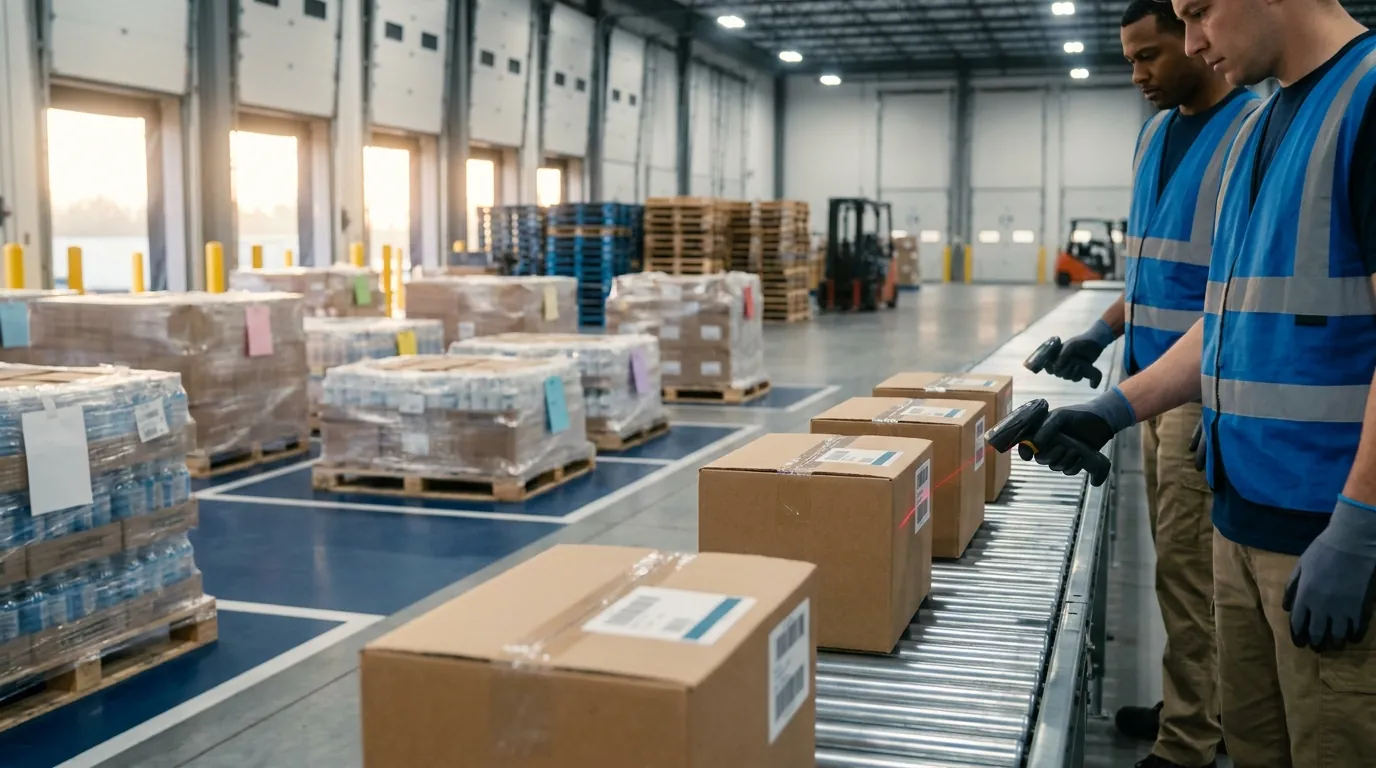
That covers the short definition. Day to day, the facility behaves less like a storage building and more like a transfer point. Pallets and cartons show up already assigned to a customer, store or delivery route. The team's job is to confirm what arrived, decide where it goes and get it onto the correct trailer fast.
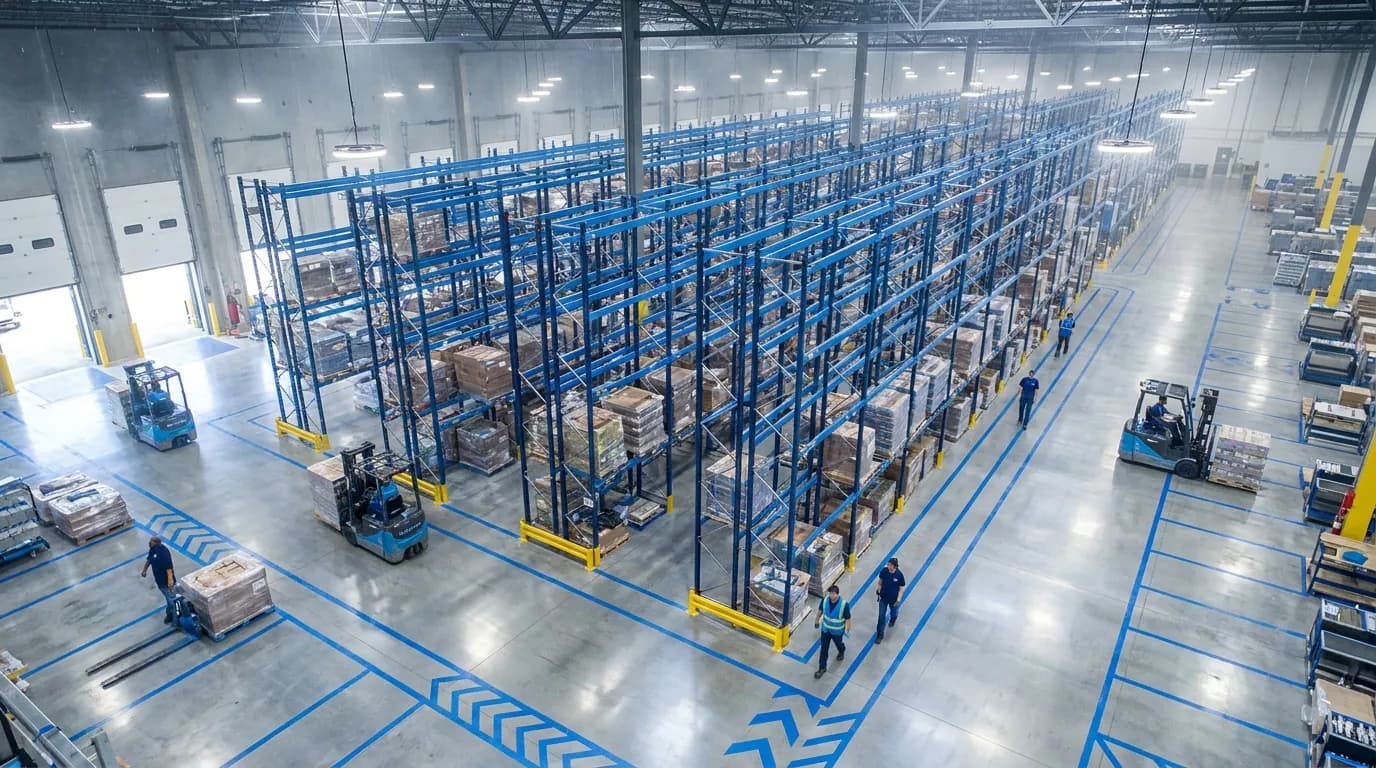
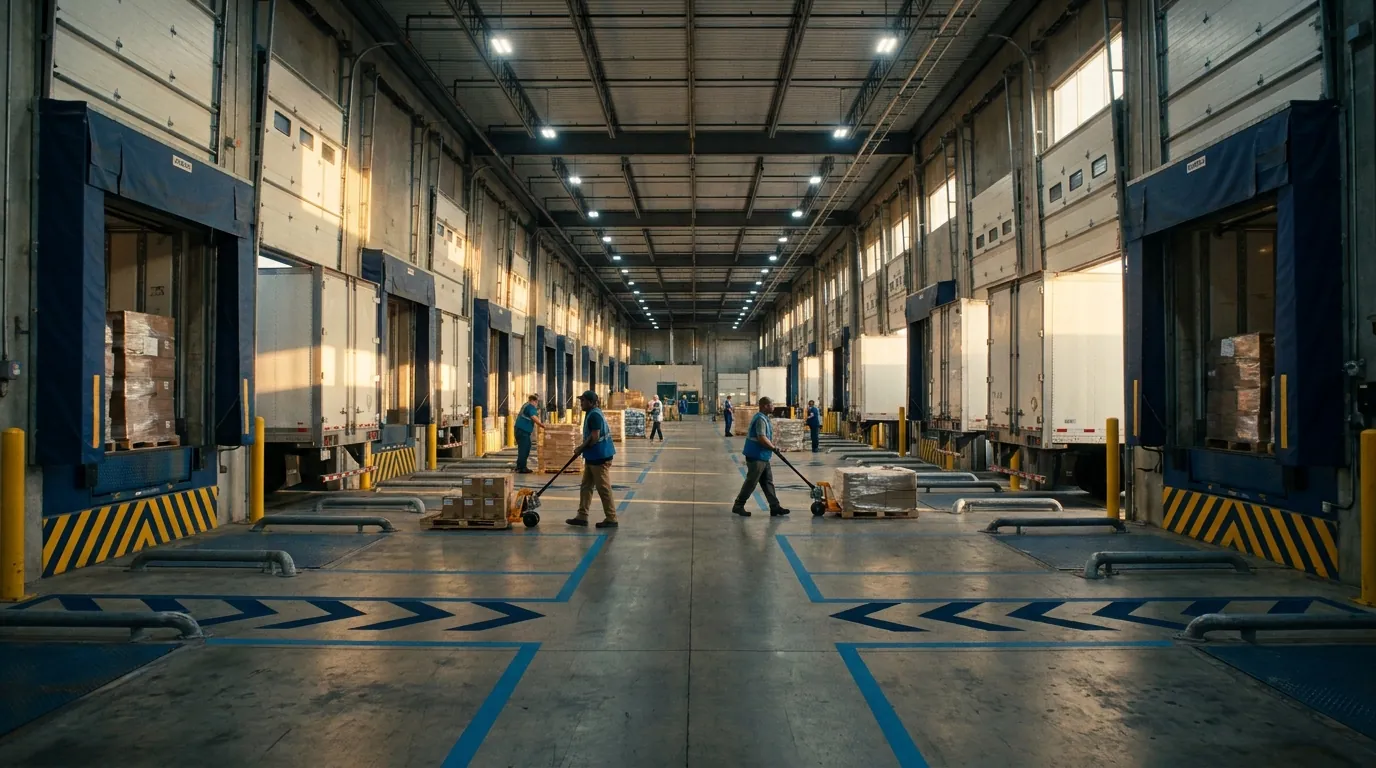
Picture the flow from left to right: inbound trailers at one bank of doors, a receiving area, a sortation zone, staging lanes marked by destination, and outbound trailers at the opposite bank. Storage racks never appear in that path, and nobody walks a pick path to find product.
Two terms come up constantly. Dock-to-dock time is the elapsed time between unloading freight at an inbound door and loading it onto an outbound trailer. Dwell time is how long freight sits idle anywhere in the facility, whether on a receiving floor, in a staging lane or beside a door waiting for a truck. An operation of this kind performs well when both numbers stay low and, just as important, predictable. A pallet that crosses in three hours on Monday and 30 hours on Thursday is a planning problem, even if the weekly average looks fine.
How Cross-Docking Differs From Traditional Storage
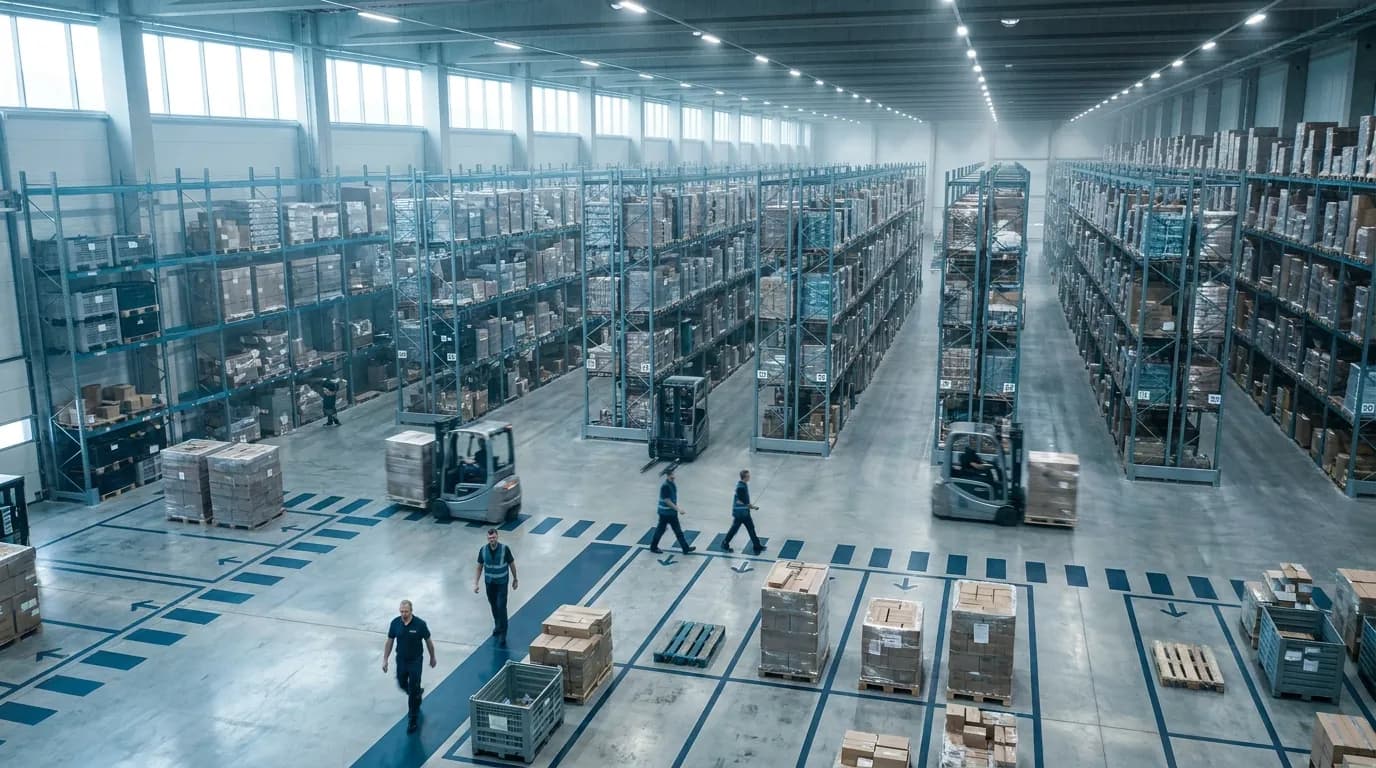
A conventional warehouse receives inventory, puts it away into a reserve or forward location, holds it until an order arrives, then picks, packs and ships it. Its value comes from holding stock as a buffer against uncertain demand. When a customer orders unexpectedly, the product is already on the shelf. The detailed version of that inbound process lives in our warehouse receiving guide.
In a cross-dock, that logic flips. Demand is known before or as freight arrives, and orders are allocated to inbound shipments in advance. There is no putaway step and no pick from a storage slot. Product gets handled at receiving, sorted, staged and loaded.
That change reshapes how the building is run. A storage operation is tuned around slotting, cube utilization and efficient pick paths. A transfer operation is tuned around timing: inbound appointments, door assignments, sortation speed and outbound departure schedules. Labor planning shifts from units picked per hour to pallets or cartons moved across the floor per hour. The warehouse management system also takes on a different job, tracking freight in motion instead of counting inventory at rest.
Cross-Docking vs. Traditional Warehousing at a Glance
This side-by-side summary is useful when explaining the model to finance, sales or senior leadership. Each line describes the conventional approach first, then the transfer approach.
- Inventory holding: Traditional storage keeps stock for days to months. A cross-dock holds it for hours, typically under a day.
- Core activities: Storage buildings receive, put away, store, pick, pack and ship. Flow-through buildings receive, validate, sort, stage and load.
- Handling: Conventional flow involves many touches across storage and picking. Direct transfer needs few touches, mostly at receiving and loading.
- Space priority: One prioritizes storage density; the other prioritizes dock doors and open staging floor.
- Demand requirement: Storage can absorb uncertain demand. Transfer flow needs known or highly predictable demand.
- Supplier dependency: Moderate for storage. High once freight moves straight through, since it relies on accurate ASNs and on-time arrival.
- Key KPIs: Storage teams watch inventory accuracy, pick rate and order cycle time. Transfer teams watch total crossing time, dwell time and inbound-to-outbound accuracy.
- Main risk: Carrying cost and obsolescence on one side; synchronization failures and missed departures on the other.
Neither approach wins in every case. Plenty of mid-market operations run both under one roof, sending fast-moving, pre-allocated freight across the dock while storing slower or less predictable items. A later section of this playbook covers how those hybrid setups work in practice.
Smarter Warehouse Management Starts Here
ASCTrac WMS delivers real-time visibility, automated workflows, and seamless ERP integration for warehouses of every size.
Request a Demo
How Warehouse Cross Docking Works: The Dock-to-Dock Workflow
Most explanations reduce the process to unload, sort, load. Inside a working DC, it is a chain of system-driven events, each with an owner, a scan and a time target. Skip one and freight ends up on the wrong trailer or sitting on the floor overnight.
The five steps below follow one inbound shipment from the moment its data arrives until the outbound trailer is sealed. Each stage lists the event your WMS should record, since those timestamps feed every KPI covered later in this playbook. Picture it as a swimlane chart with lanes for the supplier, yard, receiving, sortation, staging and shipping, and a recorded system event at every handoff between them.
Step 1: ASN Receipt and Pre-Receipt Planning
An advance ship notice (ASN), usually the EDI 856 transaction, tells you what is on the truck before it arrives. It lists the purchase order, SKU, quantity and often a pallet or carton license plate encoded as a GS1 Serial Shipping Container Code (SSCC).
System event: ASN received and validated against the open PO.
With the ASN in hand, the WMS matches inbound quantities to open outbound orders and decides what crosses and what goes to storage. It can then pre-assign outbound doors, schedule labor and book a dock appointment. Most success or failure is decided here, before a single pallet moves. Late or inaccurate ASN data turns every later step into manual work, because the floor team has to discover what is on the trailer by opening it.
Target: ASN in your system before the truck leaves the supplier, with allocation finished before arrival.
Step 2: Inbound Receiving and Scan Validation
At the assigned door, associates unload and scan each label on a mobile device. The WMS checks every scan against the ASN in real time.
System event: license plate scanned, matched and set to received.
Overages, shortages, wrong SKUs and damage raise exceptions immediately, not at shift end. The system can reallocate stock across orders, flag shorts for customer service or divert excess to storage. Because the ASN already described the load, receiving can rely on label scans backed by periodic audits instead of carton-by-carton counts. That scan-based approach is what makes sub-hour unloads realistic. Regulated freight adds lot and expiry checks at this point, as covered in our look at warehouse management for the pharma industry.
Target: a typical full truckload unloaded and validated in roughly half an hour to an hour, depending on freight type.
Step 3: Sortation, Consolidation and Deconsolidation
Next, the WMS directs each unit toward its destination via a handheld prompt, a printed label or an automated sorter.
System event: sort task created and confirmed by a scan at the destination lane.
Two patterns dominate. Deconsolidation, also called break-bulk, splits one large inbound load into many smaller ones, such as a single-SKU truckload divided across 40 store orders. Consolidation combines smaller inbound shipments from several suppliers into fuller loads for one customer or route.
Pallet-in, pallet-out freight moves fastest because nothing gets broken down. Breaking pallets into cartons and rebuilding mixed pallets adds labor and time, so size staffing and conveyor capacity to your real mix rather than an idealized one.
Target: sorted within one to two hours of receipt.
Step 4: Staging at the Outbound Door
Sorted freight waits in a marked floor lane beside its door until the trailer or the remaining freight arrives.
System event: freight scanned into a staging location tied to a specific shipment.
Dwell quietly builds in this zone: freight shows up early, a trailer runs late, or a load waits on one missing supplier. Lane-level tracking shows which loads are complete, which are short and how long each pallet has waited.
Good practice includes lane capacity limits, a clear first-in, first-out sequence, and a load-complete signal that releases the trailer. Staging space is finite, so anything sitting too long should trigger an alert or a move to temporary storage.
Target: under four hours for continuous flows.
Step 5: Outbound Loading and Load Verification
Loaders scan freight as it enters the trailer. The WMS confirms it belongs on that load and, for multi-stop routes, sits in the correct stop sequence. On a multi-stop trailer the last delivery goes in first, so the sequence check keeps a driver from unloading half the trailer to reach one pallet.
System events: load scan verified, trailer closed, seal number recorded and ship confirmation (often an outbound ASN) sent.
Verification here is the last chance to catch a mis-sort before it becomes a customer claim. A mismatch should block loading or require supervisor review, not just beep. The ship confirmation stops the crossing clock and drives 3PL billing, along with visibility for retail and wholesale customers waiting on their own ASN.
Target: at least 99.5 percent accuracy, verified at load.
Target Dwell Times by Stage
In a well-run operation, total dwell typically stays below a day, and continuous flows often clear within a single shift. Each stage below names the event that starts its clock and a starting benchmark:
- Yard to door: measured from gate check-in, target under 1 hour.
- Unload and validate: begins when the trailer reaches its door, 30 to 60 minutes.
- Sortation: timed from received status, 1 to 2 hours.
- Staging: starts at staged status, under 4 hours.
- Load and ship: from load start, another 30 to 60 minutes.
- Total, unload start through ship confirm: under 24 hours, with best-in-class flows under 8.
Treat these as starting benchmarks and calibrate them to your own baseline, since freight type, carton-level handling and carrier schedules all shift the numbers. The goal is a target for every stage, so lost time shows up where it happens instead of hiding inside one total.

Types of Cross-Docking and Facility Layouts
Cross-docking takes several forms, and the right one depends on how freight arrives, how customers order, and how much control you have over supplier timing. Picking the wrong model, such as running continuous flow with unreliable suppliers, is a common reason pilots stall.
Layout matters just as much. Dock shape, door count and the balance between receiving and shipping doors decide how far associates walk and how congested the floor gets at peak. The subsections below cover the main operating types, the industry models built on them, and the physical design choices that support each one.
Continuous, Consolidation and Deconsolidation Cross-Docking
Continuous flow moves freight from receiving to loading with no staging pause beyond what loading itself requires. It depends on tightly synchronized schedules and suits high-velocity, pallet-in, pallet-out lanes.
Consolidation combines small inbound shipments, often LTL freight from multiple vendors, into full outbound loads. A wholesale distributor might merge 12 vendors' orders into one truckload per customer, cutting freight cost and reducing the customer's receiving work.
Deconsolidation does the reverse. In a hypothetical case, a manufacturer ships full trailers of one product to a regional DC, which splits them into mixed pallets for dozens of stores.
Most buildings blend all three, so sortation rules must handle each pattern rather than one. Where that logic lives matters, and this overview of how a WMS, WCS and WES differ explains the split between them.
Pre-Distribution vs. Post-Distribution Cross-Docking
This distinction comes down to who decides the final destination, and when.
In the pre-distribution model, the supplier knows each unit's destination before shipping. Cartons arrive labeled, and sometimes sorted, by store or customer, so the dock team simply validates and routes them. It is faster and more accurate, but it requires suppliers to hold order data and have labeling capability.
In the post-distribution model, goods ship in bulk and the facility assigns destinations on arrival using current orders or allocation rules. That adds handling but lets you respond to the latest demand.
Many operators use pre-distribution for strategic suppliers with strong EDI and post-distribution for everyone else. Your system should support both and record which vendors fall into each group, so the floor knows which receipts need destination assignment and which arrive ready to route.
Opportunistic and Hybrid Cross-Docking
Opportunistic transfer happens when a conventional warehouse spots that an inbound item already matches open demand, such as a backorder or an urgent replenishment, and sends it straight to shipping instead of putaway. No dedicated infrastructure is needed; the system simply compares each receipt with outstanding orders and redirects matches. Consider a distributor with 30 cases of an item on backorder: when a 200-case pallet of that item is received, the system can flag 30 cases for the waiting orders and send the other 170 to reserve.
Hybrid flow formalizes this. A storage building designates certain SKUs, suppliers or order types for direct transfer while keeping everything else in racking. Promotional goods and fast-moving seasonal items might cross the floor while slow movers and long-tail SKUs go to reserve locations.
For mid-market teams, this is often the most practical entry point. You can prove the process on a slice of volume, measure the results, and expand without rebuilding the facility.
Manufacturer, Distributor, Retail and LTL Models
The same handling method shows up across the supply chain in different forms:
- Manufacturer: components or subassemblies from multiple suppliers are consolidated and delivered to the production line for just-in-time assembly.
- Distributor: products from several vendors ship together, one load per customer, which reduces the customer's receiving workload.
- Retail: DCs redistribute vendor freight to stores, often with store-level labels applied upstream by the supplier.
- LTL: less-than-truckload carriers, which haul shipments too small to fill a trailer, run terminals that unload, sort and reload freight onto line-haul or delivery trailers.
Is it the same thing as LTL? No. LTL is a shipping mode, while the practice described here is a handling method. Carriers rely on it heavily at their terminals, but shippers, distributors and retailers cross-dock full truckloads too.
I-, L-, T- and X-Shaped Dock Designs
Dock shape determines travel distance and congestion. Crossdock design research offers a widely cited rule of thumb:
- I-shaped: a long, narrow rectangle with doors on both long sides. Simple and efficient, it is usually best for smaller facilities up to roughly 150 doors.
- L-shaped: often the result of site limits or an expansion. It adds doors without lengthening one wall, at the cost of extra travel at the corner.
- T-shaped: a center wing adds doors near the middle, cutting travel for docks of roughly 150 to 200 doors.
- X-shaped: four wings that maximize central doors, generally suited to very large operations above about 200 doors.
A simple top-down sketch of each outline, with receiving and shipping doors color-coded, makes these trade-offs easy to explain to a site team. Most mid-market facilities already have an I-shaped or rectangular footprint, so the practical question is how to assign doors within it, not whether to rebuild.
Planning Dock Door Ratios
The door ratio is the balance between inbound doors and outbound doors, and it should follow your flow pattern:
- Deconsolidation-heavy sites need more outbound doors, because one inbound trailer feeds many outbound loads.
- Consolidation-heavy sites need more inbound doors, because many inbound shipments feed fewer outbound trailers.
- Balanced flows can work near a one-to-one ratio.
Placement matters too. Put the busiest destinations at doors closest to the center of the dock, and place doors for high-volume suppliers directly across from their most common outbound lanes. That shortens travel on every pallet that crosses.
Then size the staging floor. A common planning approach is to give each outbound door enough lane space for at least one full trailer's worth of freight. Without that buffer, overflow spills into travel aisles and slows the whole dock.
Benefits, Challenges and When Cross-Docking Is (and Isn't) the Right Fit
Cross-docking can cut costs and speed delivery, but it swaps storage risk for timing risk. When inbound and outbound flows stay synchronized, the model is extremely efficient. When they drift apart, freight piles up on the dock, trailers leave short and customer service fields the complaints.
The decision should rest on your own data, not on how appealing the concept sounds. Below are the benefits, the risks, and a fit-criteria list you can apply to your SKU mix and supplier base.
The Operational Benefits of Cross-Docking
When it fits, the approach produces gains you can measure:
- Lower storage costs: Freight that never enters a rack frees space, so the same building supports more throughput.
- Fewer touches: Skipping putaway, replenishment and picking removes several handling steps per unit, along with the labor attached to them.
- Faster order cycle time: Product reaches stores or customers sooner, which matters for perishables, promotions and replenishment.
- Lower carrying cost: Less safety stock sits in the building, freeing working capital.
- Freight savings: Consolidation builds fuller outbound trailers, lowering the freight cost of each unit shipped.
- Less damage and shrink: Every touch you remove is one less chance for loss.
How much you gain depends on your baseline, so record current touches per unit and handling cost per unit before you begin. Without a before picture, the improvement is hard to prove to finance.
The Challenges: Synchronization, Carriers and Supplier Reliability
The traits that make the model efficient also make it fragile:
- Synchronization: One late inbound truck can hold up several outbound loads waiting on its freight.
- Carrier coordination: Outbound departures must be scheduled and kept. A missed pickup can turn a four-hour dwell into a full day.
- Supplier reliability: The flow depends on accurate, timely ASNs, correct labels and on-time arrivals. A single noncompliant vendor can disrupt an entire wave, and clear standards for warehouse labels reduce that risk.
- Thin buffer: With little inventory on hand, demand spikes and supply shortfalls hit harder.
- Floor congestion: Undersized staging spills freight into aisles and slows everyone down.
- Visibility gaps: Without real-time scanning, supervisors learn about problems after the trailer is already late.
You can manage all of these with disciplined processes and the right warehouse technology to flag exceptions as they happen.
Fit Criteria: Is Your Operation Ready for Cross-Docking?
Apply these questions to each SKU, supplier or lane:
- Velocity: Is it a fast mover with steady, high volume? Slow movers rarely justify the coordination effort.
- Demand predictability: Is demand known at or before receipt through firm orders, store allocations or stable replenishment? Volatile demand favors storage.
- ASN compliance: Does the vendor send correct notices on schedule, with scannable license plates? Aim for consistently high ASN accuracy before moving a supplier into this flow.
- Inbound punctuality: Do the vendor's trucks hit their appointments?
- Order profile: Are outbound orders large or regular enough to build efficient loads?
- Product condition: Does it arrive palletized, labeled and ready to ship without value-added work?
- Time sensitivity: Fresh goods, perishables and promotional items benefit most from low dwell.
- Outbound capacity: Do scheduled routes or carrier capacity match inbound timing?
Items that pass most of these are strong candidates. Anything that fails on demand predictability or supplier compliance usually belongs in storage until the underlying problem is fixed.
Can a Standard Pick-and-Store Warehouse Cross-Dock?
Yes. A conventional building can run a hybrid setup instead of converting into a dedicated facility.
Reserve a few dock doors and a nearby staging zone. Choose a small group of SKUs and suppliers that pass the criteria above, such as fast movers from your most reliable vendors. Configure your WMS to look for matching open orders as each receipt is scanned, send qualifying freight to the reserved lanes, and route everything else through normal putaway.
Run the pilot for several weeks. Track crossing time and accuracy, then compare handling expense against those items when they flow through storage. If the numbers hold, expand by adding suppliers or items rather than rebuilding. This gives your team time to build the scanning and scheduling discipline the method requires, and it gives managers real data before committing more doors. Planning the extra dock shifts is easier with a clear view of crew capacity, which is the focus of our warehouse labor management guide.
Technology and KPIs That Make Cross-Docking Work
Cross-docking depends on information: what is arriving, where it goes and when it must leave. Clipboards, whiteboards and spreadsheet door assignments can cope at very low volume, but they fail as supplier counts and order volume grow.
A warehouse management system (WMS) becomes the coordinating layer. It ingests ASNs, allocates freight to orders, directs associates through scans and records the timestamps that measure performance. The capabilities below form the minimum set for reliable flow-through handling, followed by the KPIs to track and a look at how a WMS supports the hybrid model. For broader context on the software category, our explainer on warehouse management systems covers the basics.
WMS-Directed Receiving and Sortation
The system should decide each unit's next move the moment it is scanned at receiving: go to outbound door 14, go to staging lane C, or go to storage. Look for:
- Allocation of inbound quantities against open demand when the ASN arrives, confirmed at scan.
- Priority rules, such as filling backorders first or favoring time-sensitive customers.
- Directed sort tasks on mobile devices, with a confirming scan at the destination.
- Automatic fallback to putaway when no demand exists or freight misses its transfer window.
Without that direction, associates route from memory or paper, and mis-sorts climb with volume. Freight that falls back to storage still needs a sensible home, and slotting optimization helps decide where it should go.
ASN Integration and Supplier Compliance
ASN integration connects supplier shipping data to your WMS, typically through EDI 856 messages or another electronic format. Accurate notices let you plan labor, pre-assign doors and allocate freight before a truck shows up.
The system should validate each ASN against its purchase order, flag mismatches and track compliance by vendor over time. Useful measures include the share of shipments with an ASN received before arrival, ASN-to-receipt accuracy and label scan success rate.
That data supports supplier conversations. Vendors with consistently clean data can move to scan-based receiving and pre-distribution flows, while others stay in full-check receiving until performance improves. Using GS1 SSCC license plates makes this far easier to manage across many suppliers.
Barcode, RFID and Mobile Scanning
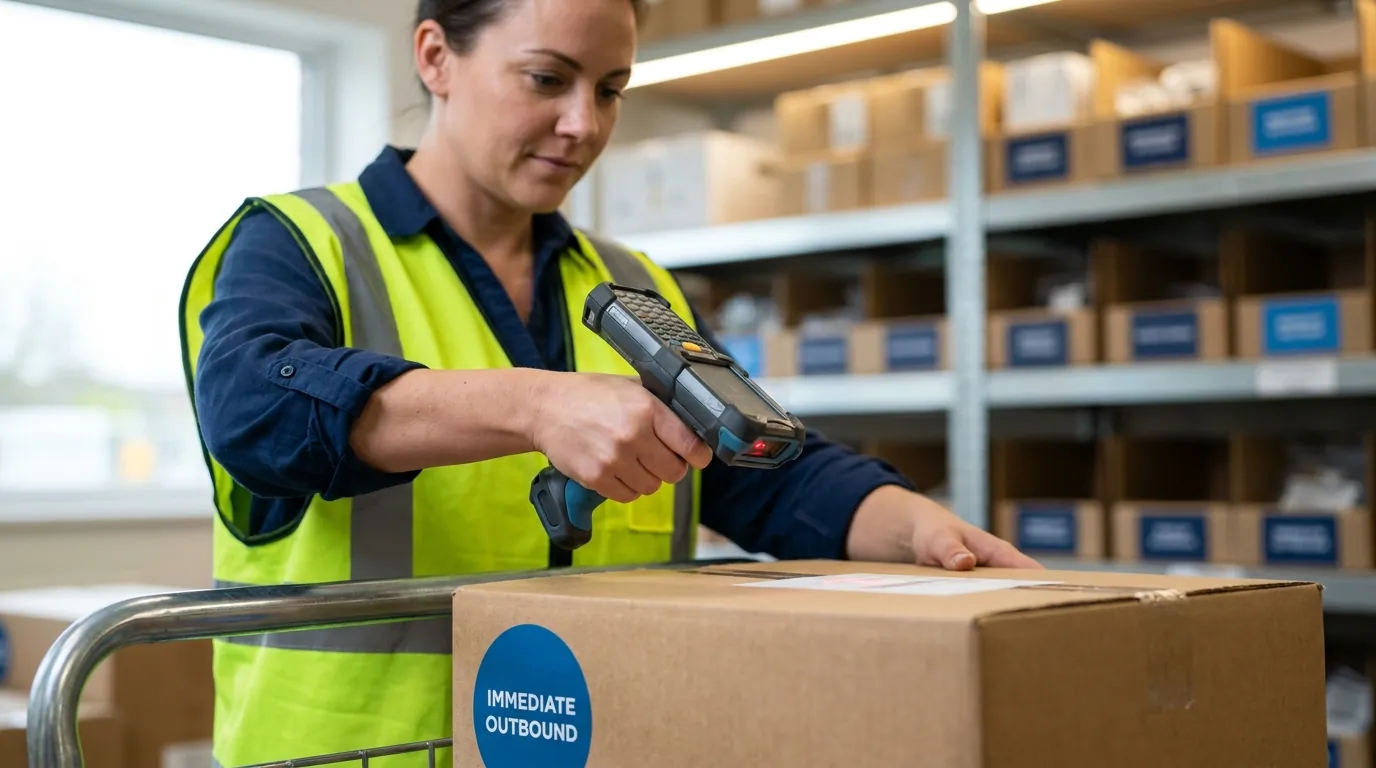
Scanning keeps the physical flow and the system record in sync. Every event in the workflow, including receipt, sort, stage and load, should be confirmed by a scan on a mobile device or a fixed reader.
Barcoded pallet and carton license plates are the standard approach and fit the majority of mid-size sites. RFID, which reads tags by radio without line of sight, can speed high-volume receiving and door verification, but it adds tag and reader cost. It pays off mainly where suppliers already tag at source.
Whichever technology you choose, the scan must do more than record data. It should validate in real time and block or flag the action when a pallet is at the wrong door, assigned to another load, or missing from the ASN. That validation turns scanning into error prevention rather than paperwork.
Dock and Yard Scheduling
Dock scheduling assigns appointments to specific doors and time slots. Yard management tracks trailers parked on site and moves them to doors when needed.
For flow-through work, these functions keep both sides of the building aligned. Time inbound appointments ahead of the departures they feed, place inbound trailers near their usual outbound destinations, and display departure times so teams sort the earliest loads first.
When a truck runs late, the schedule should reveal which outbound loads are affected. Suppose a supplier's 8:00 a.m. appointment slips to noon, and three store loads departing at 2:00 p.m. each need part of that freight. Supervisors can then decide whether to hold a departure, ship short, or substitute stock from storage. That call is much easier with data on screen than with a phone call from the gate. Keeping the dock orderly during those scrambles also matters for warehouse safety, since rushed loading and crowded lanes raise risk.
Real-Time Visibility and Exception Management
Supervisors need a live view of the dock. Useful views include:
- Staging lanes with time-in-lane for each pallet.
- Load completeness against planned contents.
- Scheduled versus actual inbound arrivals.
- Open exceptions, such as overages, shortages, damage and unmatched scans, with age and owner.
Alerts matter as much as dashboards. Set thresholds such as four hours in staging, or an outbound load under 90 percent complete an hour before departure, so the system raises problems while there is still time to act. Exception handling decides whether a transfer operation holds its schedule or quietly slides into storage.
The Cross-Docking KPI Set and How to Measure Each
Pull these from WMS timestamps and review them by supplier, customer and shift:
- Unload-to-ship time: elapsed time from unload to outbound load. Subtract the receipt-scan timestamp from the ship-confirm timestamp and average per unit or pallet. Starting target: under 24 hours, with many flows under 8.
- Dwell time: idle time at a stage, especially staging. Measure the gap between consecutive scan events for the same license plate. Starting target: under 4 hours in staging.
- Inbound-to-outbound accuracy: units shipped to the correct destination. Divide correctly shipped units by total units handled through the flow, verified by load scans and customer claims. Starting target: 99.5 percent or higher.
- Cost per unit handled: total transfer cost per unit. Allocate dock labor, equipment and space, then divide by units moved through the flow. Starting target: lower than equivalent SKUs handled in storage.
- ASN compliance: shipments with accurate, on-time notices. Divide compliant ASNs by total inbound shipments. Starting target: set by supplier tier.
Baseline each one before launch so you can show the change, not just the result.
How a WMS Supports Hybrid Cross-Docking Inside Existing Warehouses
Most mid-market operators do not want a separate cross-dock system. They want their current building to move the right freight straight through and store the rest. A WMS can support that hybrid model on a single platform when it combines several capabilities:
- ASN-driven receiving that can match inbound shipments to open orders before the truck is unloaded.
- Mobile scanning that can validate each pallet or carton at receipt.
- Directed routing that can send qualifying freight to outbound staging while the remainder follows standard putaway.
When transfer and storage flows share one inventory record, teams avoid double handling and conflicting counts. The same scan events that direct work can also create the timestamps for crossing time, dwell and accuracy reporting, so a pilot can be measured from the first day and expanded one supplier at a time as performance proves out. When you evaluate platforms, look for one that can demonstrate each of these steps on a sample inbound load, from ASN to sealed trailer.
Request a Demo to see ASC Software in action.
Frequently Asked Questions
What is cross docking in a warehouse?
In a warehouse, cross docking means inbound freight is unloaded, sorted and loaded onto outbound trucks without being put away first. Product arrives already earmarked for a specific customer, store or route, so the facility only verifies it, routes it and ships it. Most freight leaves within a day, and fast continuous flows can clear in a few hours.
How long should freight stay in a cross-dock?
Total time from unload to ship confirmation should usually stay below one day, and best-in-class flows clear in under eight hours. Typical stage goals are less than an hour from gate to door, about an hour to unload and validate a full truckload, an hour or two for sortation, and a few hours at most in staging. Adjust each goal to the facility's measured starting point.
Can a regular pick-and-store warehouse do cross docking?
Yes, an ordinary storage warehouse can run a hybrid model rather than converting into a dedicated transfer facility. Set aside two or three doors with an adjacent staging area, pick fast-moving SKUs from dependable suppliers, and have the WMS check each scanned receipt against outstanding demand. Matching freight heads to the dedicated lanes, while the remainder is put away as usual.
What's the difference between pre-distribution and post-distribution cross docking?
The difference is who assigns the final destination. With pre-distribution, the vendor labels cartons by store or customer before they leave its dock, so the receiving site only checks and routes them. With post-distribution, goods arrive in bulk and the receiving site allocates them on arrival, which takes more labor but allows last-minute changes to match current orders.
Which KPIs matter most for cross docking?
Five measures cover most needs: unload-to-ship time, dwell time, shipping accuracy, handling cost and ASN compliance. Each can be calculated from WMS scan timestamps. For instance, dwell is the gap between two consecutive scans of one license plate, so a pallet scanned into staging at 9:00 and loaded at 1:30 dwelled four and a half hours.
When is cross docking a bad idea?
It is a poor fit when demand is unpredictable or suppliers send late or inaccurate ASNs. The model trades storage risk for timing risk, so one late inbound truck can hold up several outbound loads. Slow movers and items that need kitting, relabeling or other value-added work before shipping are usually better kept in storage.